When a search is run and a list of accounts is visible, clicking the Details link of any account will open the account administration interface for that user. See Understanding the Search Results in the User List/Search Function for an explanation of how to search for USO accounts.
 Please note that depending on your level of access, you will see a different number of editable fields than the ones shown. The ability to change certain user details or view passwords is with Nominated Contacts only. If you are another type of user, you will have more limited access than outlined here.
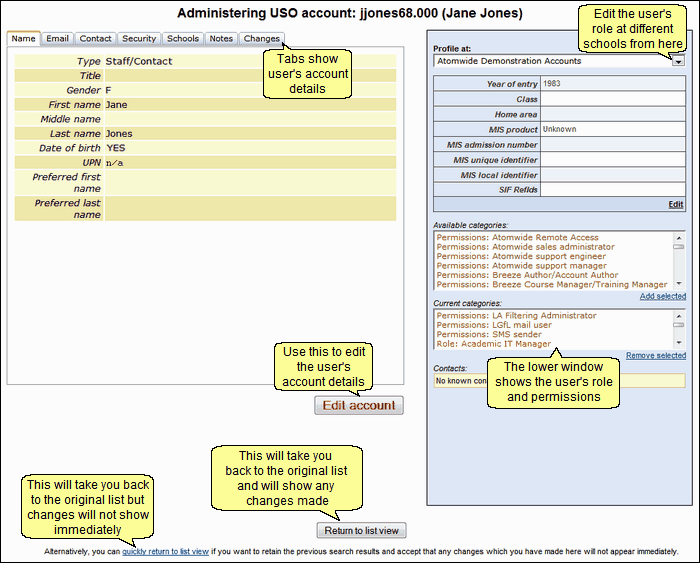
Click on the Edit account button to edit the required field(s).
If you make changes to the account that you then decide NOT to save, click Leave Edit Mode to exit without saving. Previously existing information will be restored.
You do not have to click through the tabs in order - you can select the one you need at any stage.
See next:
