If a school has names in the MIS that are exported but are not valid for the purposes of creating USO accounts, Nominated Contacts will receive daily alerts stating that some MIS data could not be processed.
These names will normally be some sort of generic account names that are not permitted within USO.
To get round this situation, an additional option has been created within the Whole School Bulk Results section.
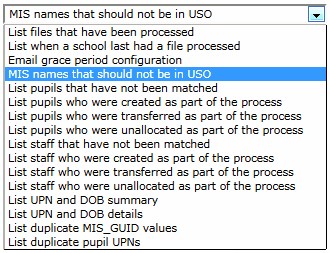
The MIS names that should not be in USO option in the dropdown menu will allow such names to be entered into the support site just once so that alerts regarding this type of "error" are no longer received.
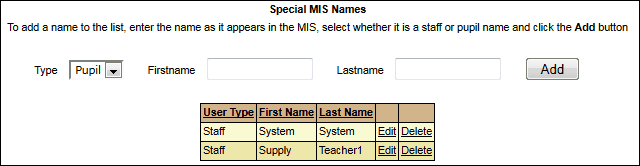
If there are such names at your school, the list of invalid names will be produced on the page.
Select the type of account it is for each "invalid" name (ie Staff or Pupil), then enter the first and last names into the text boxes provided.
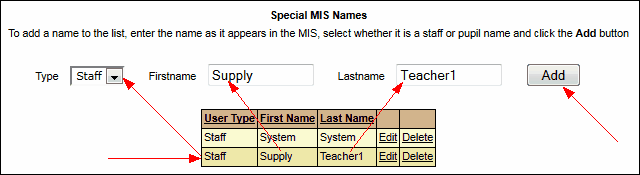
Click Add after entering each one.
Once these names have been entered on this page, you will no longer receive alerts about these invalid accounts.
If new generic accounts are created in your MIS at a future date you will need to enter the new accounts on this page as well.
See also:
List files that have been processed
List when a school last had a file processed
Email grace period configuration
List pupils who were created as part of the process
List pupils who were transferred as part of the process
List pupils who were unallocated as part of the process
List staff that have not been matched
List staff who were created as part of the process
List staff who were transferred as part of the process
List staff who were unallocated as part of the process
