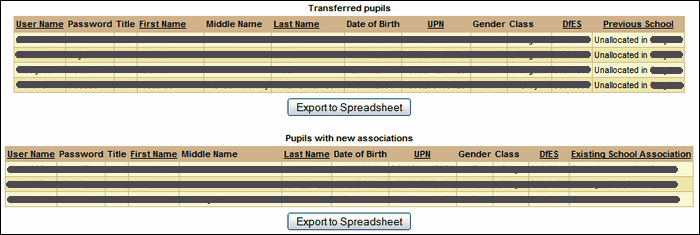
If any pupils were transferred to the current school from a previous school or from being in a pool of unallocated accounts, you will be able to see this by selecting List pupils who were transferred as part of the process from the dropdown list.
Any transferred pupils will be included in the list which you can Export to Spreadsheet if needed. The list can also be re-ordered by clicking on any of the underlined headings.
If no pupils were transferred you will see a message to that effect.
For any pupils that were transferred, you will be able to see their full names, dates of birth, UPNs, Gender, Class and the school they have been transferred from. If they have been transferred after having been in an unallocated pool, it will state that they were transferred from Unallocated in your borough.
Pupils who appear in the table under the heading Pupils with new associations are students who have now have an association with more than one school.
If a pupil needs to be dis-associated from the old school, you will need to contact the old school and ask them to remove the pupil from its MIS.
See also:
List files that have been processed
List when a school last had a file processed
Email grace period configuration
List pupils that have not been matched
List pupils who were created as part of the process
List pupils who were unallocated as part of the process
List staff that have not been matched
List staff who were created as part of the process
List staff who were transferred as part of the process
List staff who were unallocated as part of the process
