This section of the guide is out of date.
Freedom2Roam has now been released and replaces RAv3. Guidance on configuring Freedom2Roam is available here.
To administer the remote access configuration for your users click or hover over the Service Desk tab and select Remote Access Resources.
Within LGfL, this service is only available to schools with an LGfL connection in place.

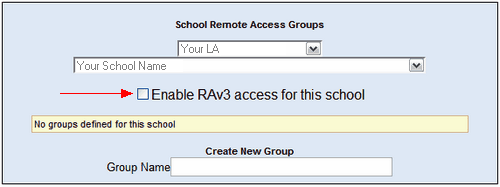
Configuration basics
The RAv3 interface should be used to determine what different users can access when they use the Remote Access functionality to access your internal network. Users can be granted access to anything from a single location to an entire network, depending on the authentication used, permissions granted, resources specified and locations configured.
To configure remote access options for other users the Nominated Contact must:
•create different groups of users
•define their authentication requirements (eg: whether OTP tags are required)
•specify what each group of users can access - this is done either by setting up bookmarked locations or making the VPN client available and configuring its settings
Using Remote Access after it has been configured
 All users who have been set up to use this system should read the Remote Access User Guide for the front end before they attempt to log in to the system for the first time. This guide contains essential configuration information for the end user.
URLs for logging in to the front end are also contained in the first section of the User Guide.
See next:
