The Staffmail statistics report is designed to allow Nominated Contacts and above in LGfL to find information on StaffMail usage within within a particular school.
Please note that a school must be selected from the dropdown menu (if more than one option is available) in order for the report to produce results.
Then select the StaffMail statistics report from the Reports menu and click Build report.
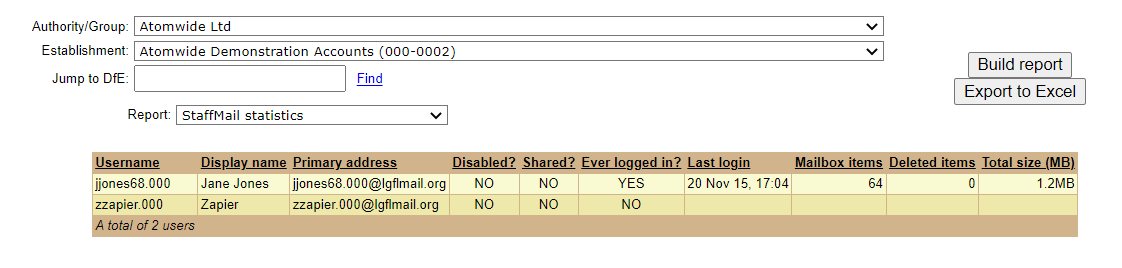
The report will show information on StaffMail usage in the selected school.
You will be able to see every person at the school that has a StaffMail account and their primary email address. The primary email address refers to the "from" address that person is using when sending emails.
Disabled accounts are shown in purple text while shared mailboxes are shown in green text.
You will also be able to see whether each user has ever logged in to their account. For users that have logged in, it will show the date of the last login, the number of items currently stored in their mailbox, the number of deleted items and their total mailbox size.
See also:
