This report allows you to find information about which users within your school or LA have received and registered an OTP security tag.
Select a school (if you have access to more than one) from the dropdown menu. Leave the Any of the below option to view details on all schools in the LA.
The Report field should be set to OTP policy compliance.
Click Build report to view the information within your browser.
The Date of registration states when the tag was registered on the support site (using the Register OTP interface) and the Date of despatch when the tag was initially sent to the user or the relevant contact who distributes tags to other users.
Please note that the Date of registration is unknown for some users who registered their OTP tags before the tracking mechanism was instituted.
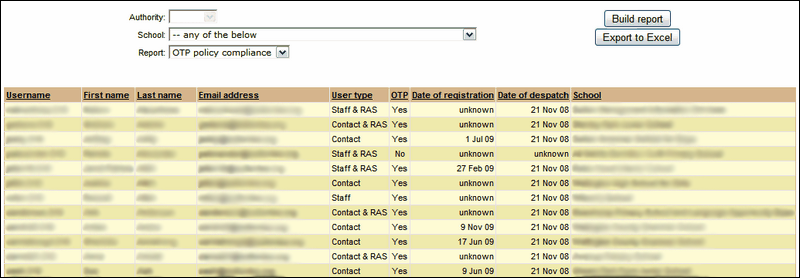
 For Wavenet Education staff only, the OTP column will display the barcodes found on the reverse of each OTP tag in case it is necessary to confirm these with any user requiring assistance.
See also:
