The StaffMail aliases report can be used by Nominated Contacts and above to view a summary of email address aliases currently used at a school or within the LA.
Select a school (if you have access to more than one) from the dropdown menu. Leave the Any of the below option to view email account details on staff at all available schools.
The selected report should be StaffMail aliases.
Click Build report to view the information within your browser.
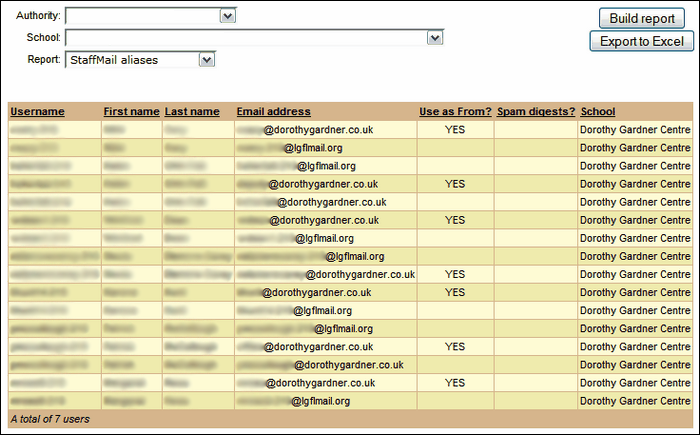
To save the resulting list, click Export to Excel to create a spreadsheet.
The report will show users' USO usernames, first and last names, their email address (or several if they have various aliases), whether that alias is used as a "From" address, whether the spam digest is enabled for their account and the school(s) with which they are associated.
See also:
