Some Wavenet Education services or functions within services require attendance information to work correctly.
Attendance data can be exported via AutoUpdate by an additional export being enabled by the Headteacher and an additional schedule being set up by a Nominated Contact.
Currently the only MIS' that are compatible with attendance exports are SIMS and Integris G2.
Before any exports can be taken from your MIS, they must be approved by your Headteacher in the USO support site. The Head is the legal owner of the school's data and without their consent, no data can be exported for use with this system. The Head must visit the AutoUpdate settings page found under the User accounts tab and give their consent online.
The Head must tick the available tick boxes under the the Atomwide Attendance report heading. They must then click the button that reads Accept Selected Reports.
|
Instructions for installing the USO-AutoUpdate software are found here. Installing AutoUpdate on a single workstation uses exactly the same process as installing it on the SIMS server.
The Nominated Contact will need to set up a scheduled task for the attendance-related data to be exported on a daily basis. Instructions are found here. Please ensure that the schedule you create is set to run in the morning at a time a when the daily attendance data will have been inputted into the MIS.
|
If there is ever an occasion where the export was sent with incorrect information the export can be re-run for that particular day.
This will ensure that all data is correct and up to date.
To re-run a report, first open the USO-AutoUpdate Software.
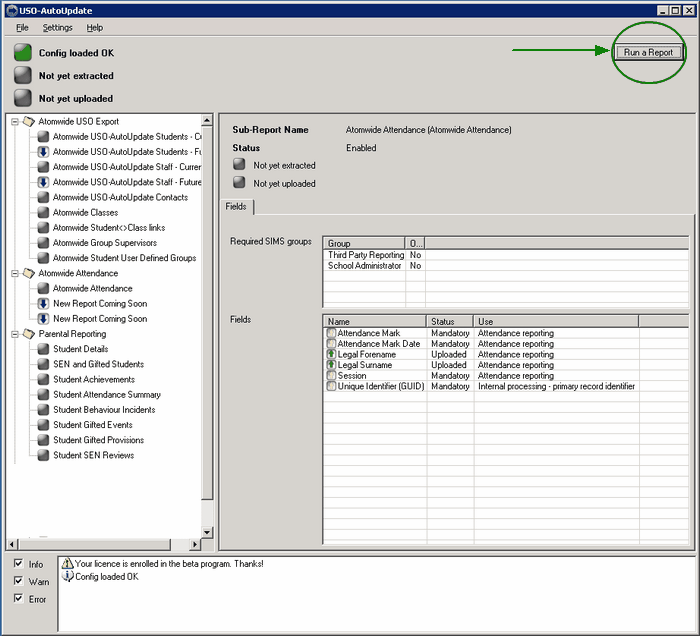
Once open, click the Run a Report button in the top right corner.
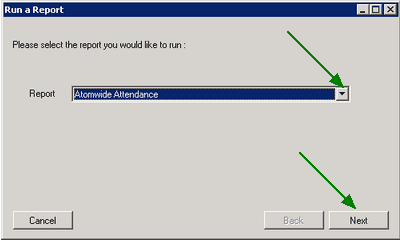
Select the report type: Atomwide Attendance. Then click Next.
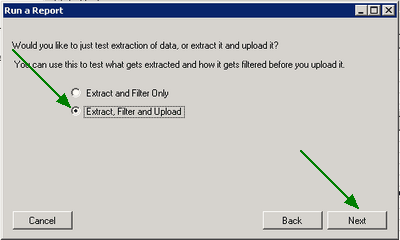
Now select the radio button for the second option: Extract, Filter and Upload.
Select the past date for which upload is needed.
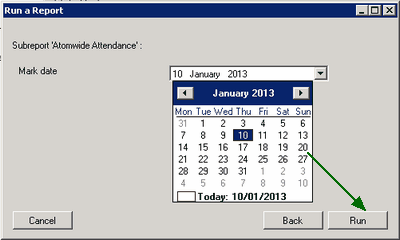
To send export the Attendance and send it to Wavenet Education, click Run.
An attendance report for the selected date will be sent to Wavenet Education where it will be processed and used to update information.
|

