To access your details click on My Account, then Account details, then click on the Contact tab. Click Edit Account to make changes.
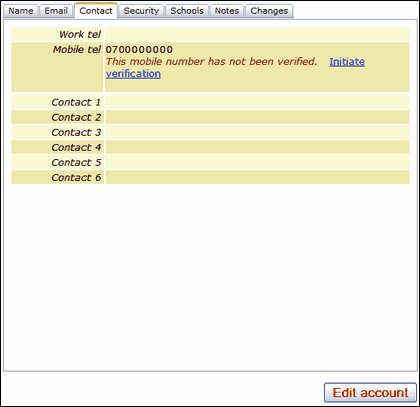
Enter your mobile phone number and save your changes. The screen will update and a message will alert you that the phone number is not verified.
You can click on Initiate Verification which will send a text message to your mobile.
The message will provide a PIN which needs to be entered into the PIN field.
Once you have entered the PIN click on Submit PIN.
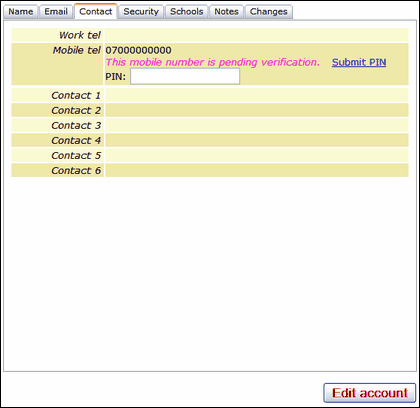
This process confirms that the number provided is the correct one and creates a Verified Mobile Number for your user account.
Please note that if you are unable to create a verified mobile and do not reach the "pending verification" stage, please raise a case with the Service Desk as it is possible that your mobile number has been previously registered to a different account in USO and the situation will need to be investigated and rectified manually.
