There are many distribution lists being shown in the address book that we don't use. Can I delete them?
When distribution lists are enabled there are certain lists that are automatically created for the school. As these lists are part of the enabling process they cannot be deleted.
However, they can be hidden from the address book so that they are not seen by staff.
This does not mean they cannot be used but they cannot be selected from the address list.
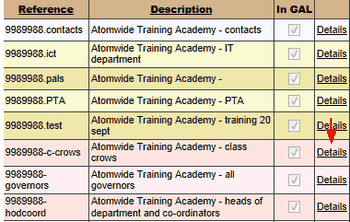
To hide a distribution list first find it by going to Email > Distribution lists and selecting your school, then click on Details for the relevant list.
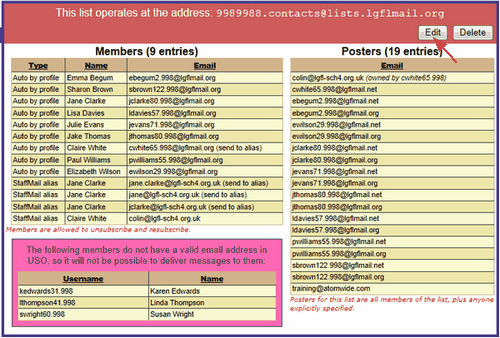
This will open a column on the right hand side with more options, select Edit
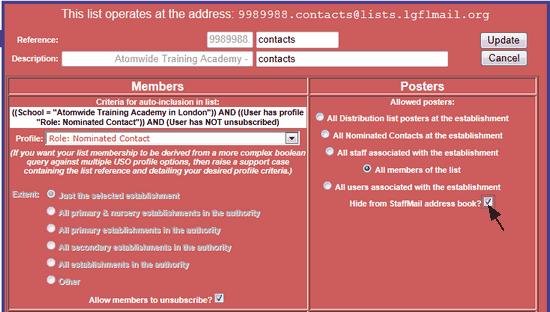
Once in edit mode you will see a tick box in the Posters section that says Hide from StaffMail address book?
Tick this box to hide the list and then click Update.
 Please note this change may take up to 24 hours to take affect or longer if used with the Outlook client.
Full details on configuring distribution lists can be found here.
