How do I find out what data is currently being exported via AutoUpdate?
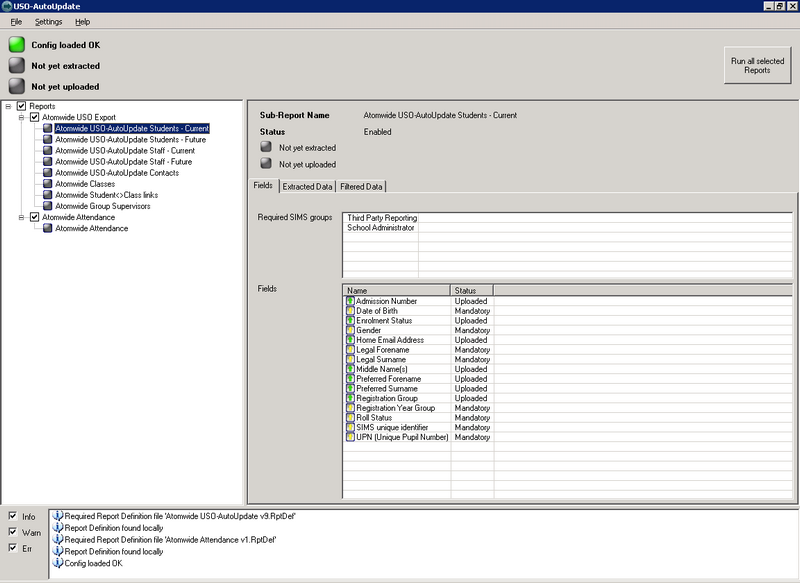
To view which sets of data and fields are being exported you will need to log on to the MIS server, access the Start menu > Atomwide Ltd > USO-AutoUpdate > USO-AutoUpdate.

When the USO-AutoUpdate interface opens, the Reports heading in the left panel contains a list of all sub-reports currently configured to be exported. Select sub-reports one at a time to view what data fields they contain. This list of reports and sub-reports is read only.
Schools have the ability to control which reports are being run by configuring them via the Wavenet Education support site interface found under User Accounts > AutoUpdate settings. To enable additional available sub-reports or disable any currently active sub-reports, a Head Teacher or a designated Headteacher proxy can access the support site to carry out the changes. To change which optional fields are exported within a sub-report, you will need to raise a support case and ask the Service Desk to make the amendments.