The LGfL Wifi reporting page is designed to let Nominated Contacts who are associated with a school using an LGfL wireless network to see reports of Wifi access within that establishment.
The page allows logs to be viewed in two ways:
•by user account - where you can view a summary of each user's wifi access
•general logs - where you can view all wifi access in descending date/time order
When you select this page, the view presented by default will be the User-based report from the previous day until the present moment.
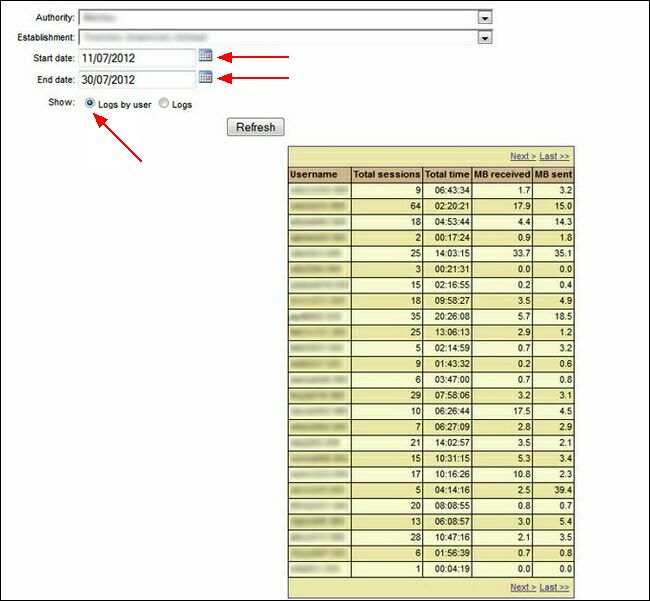
To view usage by USO account for different dates, select the date range for which you want the report, make sure Logs by user is selected.
Click Refresh to generate the report.
This is a summary, organised alphabetically by username, of each user's total wifi activity in terms of number of sessions and time spent using the wireless connection.
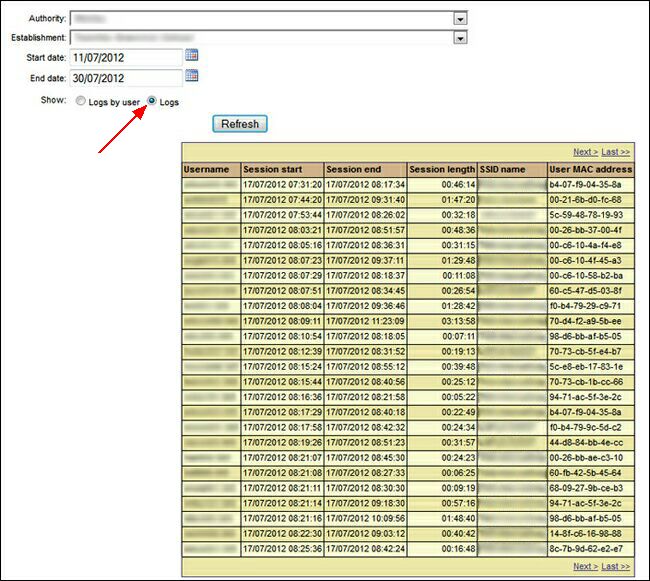
To view a report of all activity, organised in date ordered, select the required date range and then select the Logs radio button.
This will simply list all wifi sessions in the order in which they occurred, the person's username and the MAC address of the device used as well as which network they connected to.
Click Refresh to generate a new report.
See also:
