The Password policies page under User Accounts is available to Nominated Contacts to view and modify the password policies for the establishments they are administrators for.
Password Policies are defined on a per-Group basis, but each establishment can choose to adopt any policy that is stricter than its inherited default. Further information, can be seen in the USO Username and Password Policies document which can be found in the Service Desk NC Docs folder of myDrive.
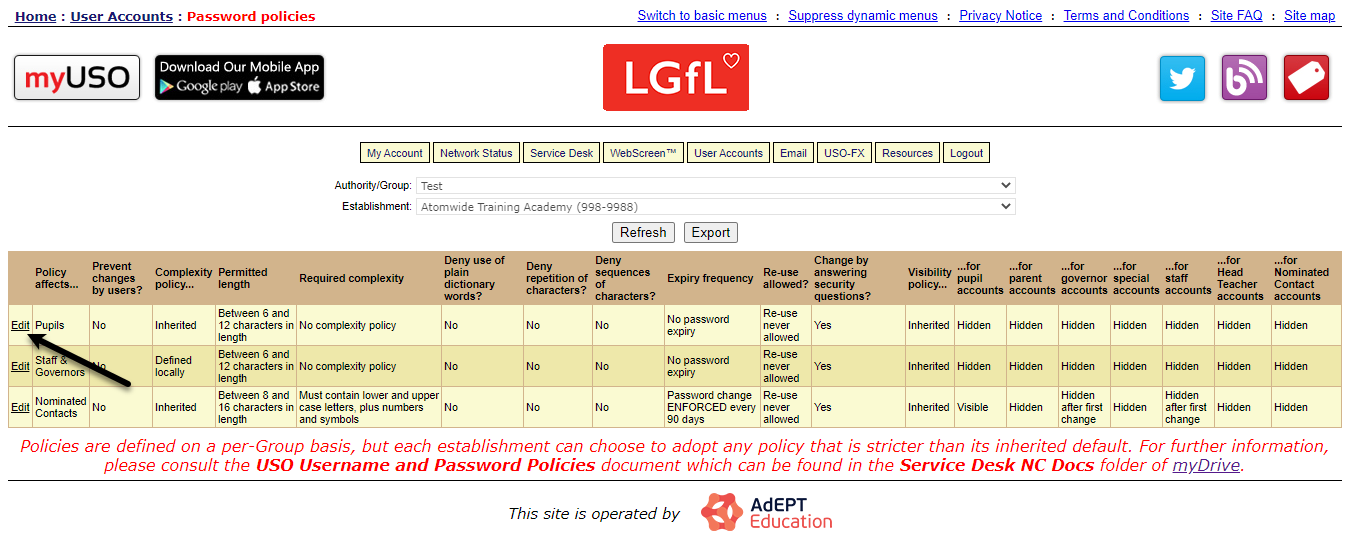
When first visiting the page you will see a table detailing the policies for Pupils, Staff & Governors and Nominated Contacts. There are also options to Refresh the table and Export its contents to a spreadsheet.
Editing a policy
To edit one of the policies, please click on the Edit button next to the policy you wish to change.
You will then see a page where you can modify the rules. Please note that some rules can not be changed, as you can only change a rule to be stricter than the inherited defaults.
Once you've made the required changes, please click Save changes.
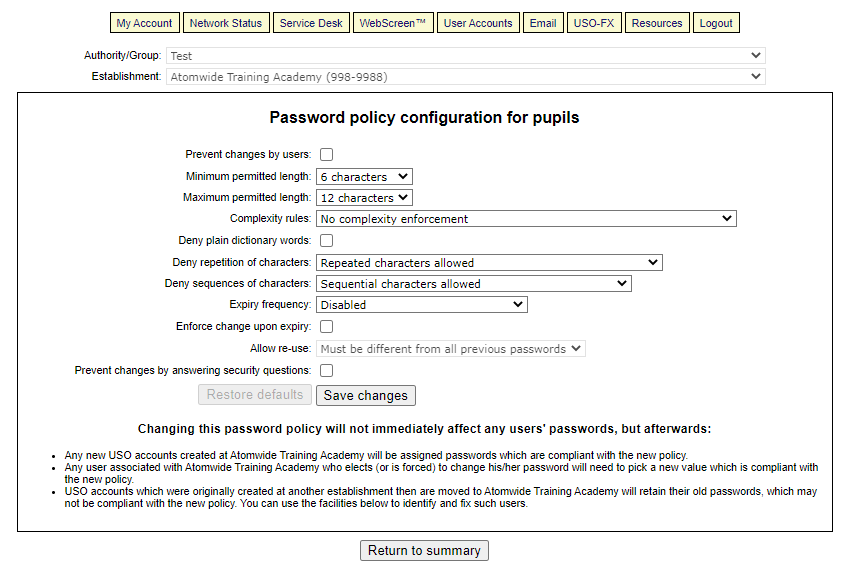
if at a later date you wish to restore a policy to its default settings, please click on the Restore defaults button and then confirm on the pop-up that will appear.
Password policy compliance checking
When you select edit on a policy, you will see a compliance checker at the bottom of the page. This checks all accounts of the selected type to ensure that the passwords the accounts have comply with the establishment's rules for that account type.
If you want to enforce compliance on any of the accounts, there are two options available. You can choose whether to replace passwords on all ticked accounts now or force ticked users to change their passwords on next login. If you do neither, the next time the user changes their password they will have to change it to a compliant value. When they get asked to change their password will depend on the expiry frequency.
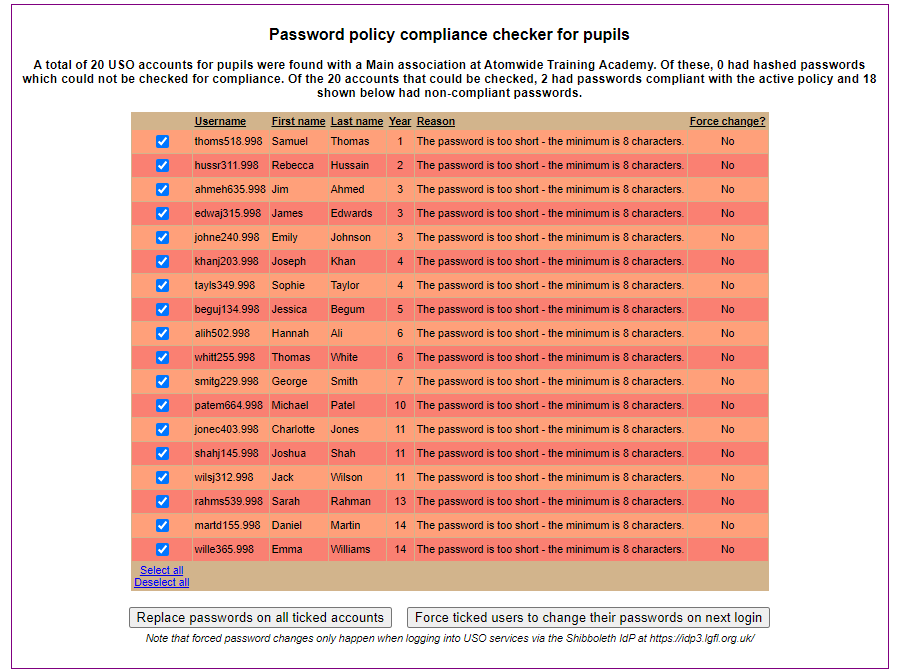
Please note that if an account's password has been hashed (encrypted) the checker will be unable to check for compliance.
