How do I change the destination of the alias?
If an alias has been created using the wrong destination address, it can easily be changed.
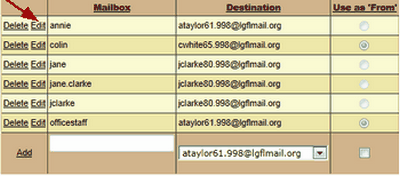
Go to Email > LGfL StaffMail accounts. Use the Domains menu to select your schools domain. Locate the alias and click Edit.
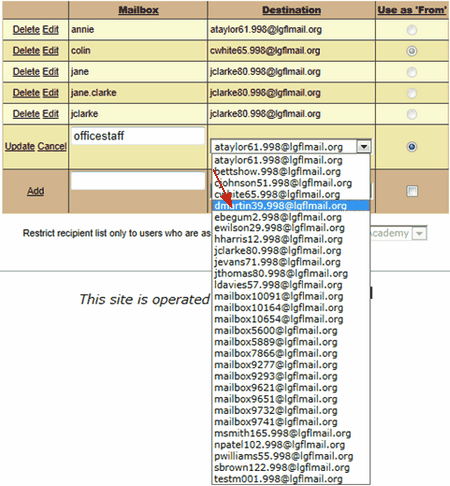
A dropdown list will appear in the Destination column. Click on this to view a list of staff members at the school.
Scroll through the list to find the correct member of staff and select them.
Once you have selected the appropriate user save the changes by clicking Update.
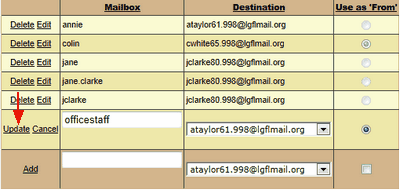
The alias will now be associated with the new user.
Please be aware that emails already received will remain with the previous user of the alias.
Full details on creating email aliases can be found here.
