Send a message to a single mobile number
If you know the mobile number you want to send a message to, enter it in the the white box to the right of the Send to text. The recipient's number MUST already be registered to their USO account. The number can be entered with or without spaces.
You will see messages regarding the amount of credits you have left to use and will be prompted to take action when message credits are running low. The number of message credits that prompts an alert is defined by your LA.
When your school has enough credits to continue using AutoText, you will see the number of messages remaining.
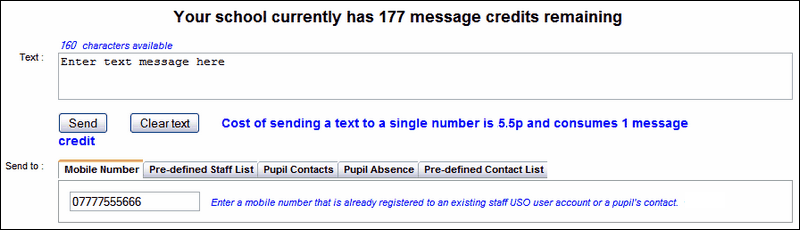
Enter your message in the Text box. Click Send.
You will see a confirmation that your message has been sent and the number of text messages remaining will decrease by one.
See next:
Send messages to a pre-defined staff list
Send messages to pupil contacts
