The Documents tab within the LGfL deployment section can contain documents uploaded by the school, by Virgin Media, by an LA advisor on behalf of a school and by Wavenet Education.
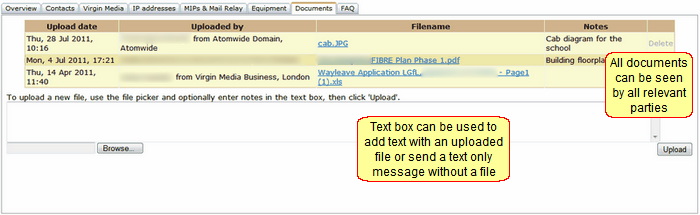
All uploaded documents can be viewed by everyone involved. Documents may be deleted only by the person that uploaded the file (i.e. a file uploaded by the school can only deleted by the school).
Schools should upload photographs of their available rack space.
Virgin Media will upload relevant site documentation including plans, cable routes, etc.
Files may be uploaded by using the Browse button to find them. A message may then be entered into the text box. Click Upload to send the message and document together.
Alternatively, you may enter text into the box and send it without attaching a file. Simply enter the message and click Upload.
When a school's migration is completed, a sign-off document (signed by a relevant member of school staff) will be uploaded as one of the final stages in the process.
See next:
